Simplifying Security Audits at Mendix

How I identified and tackled inefficiencies within the security auditing flow to improve the workflow of compliance teams.
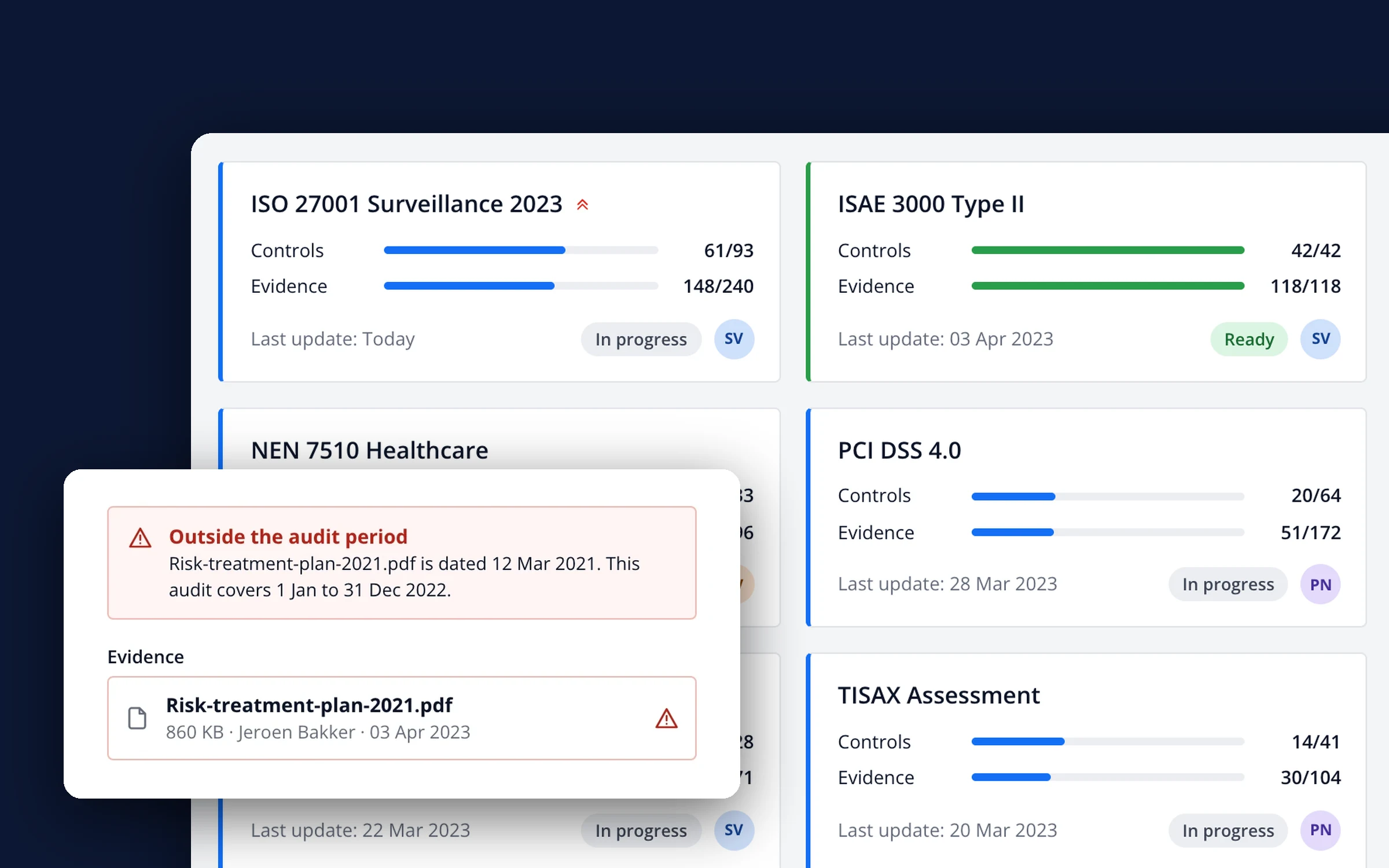
Close-up of the AuditON My Audits screen: audit cards with progress on controls and evidence, and a flagged evidence file marked as outside the audit period

Responsibilities

UX Design

HTML/CSS Support

Date

Q1 2024

Client

Mendix (a Siemens company)
Ensuring enterprise-grade security by improving efficiencies

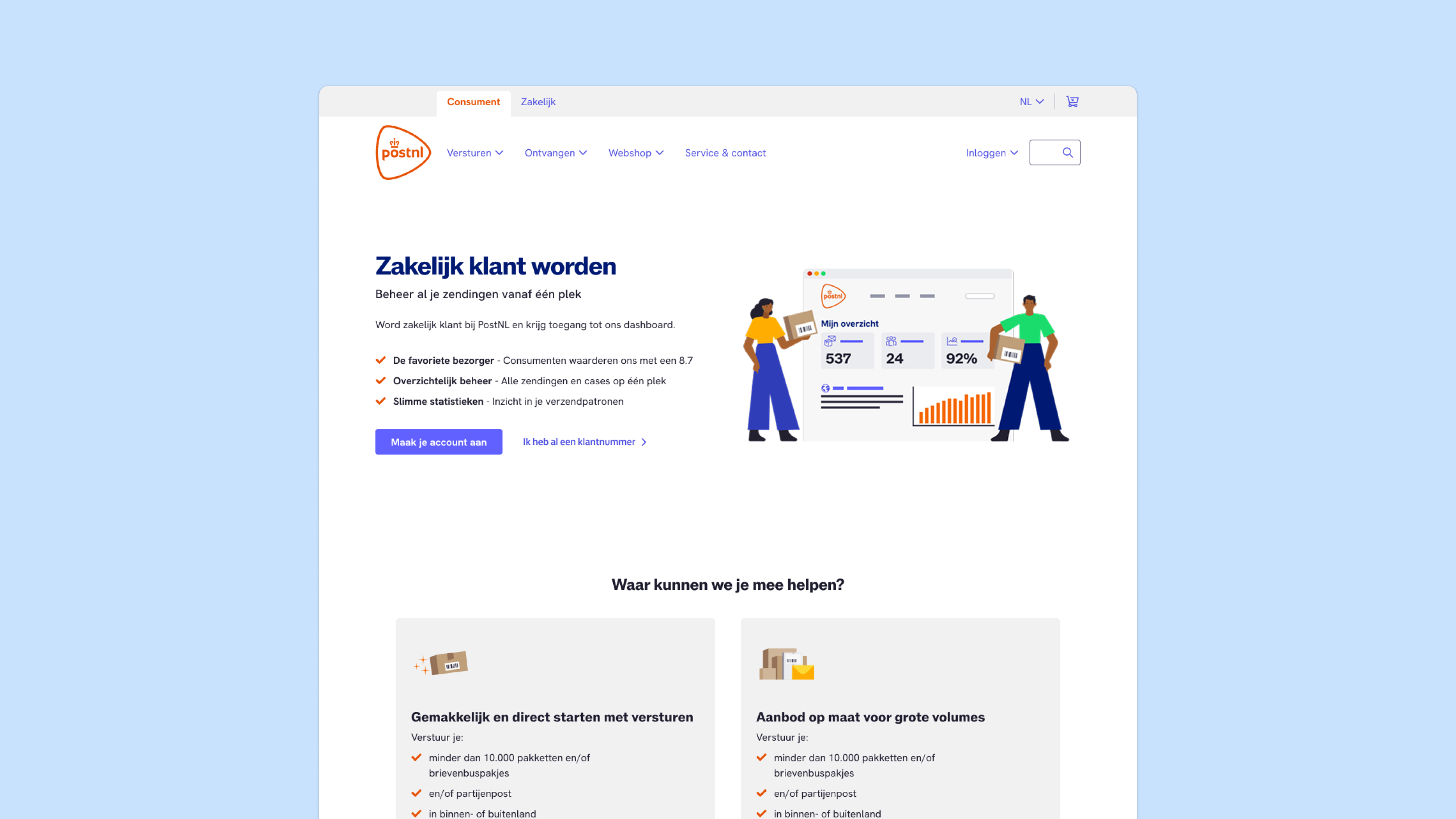
At Mendix, the low-code platform powering critical systems for ABN Amro and PostNL, security audits were becoming a bottleneck, both for Mendix itself and for its parent company Siemens. With no centralized tracking, communication scattered across platforms, and inconsistent validation methods, their certification process was at risk. This case explores how we transformed their fragmented compliance system into a streamlined security framework.

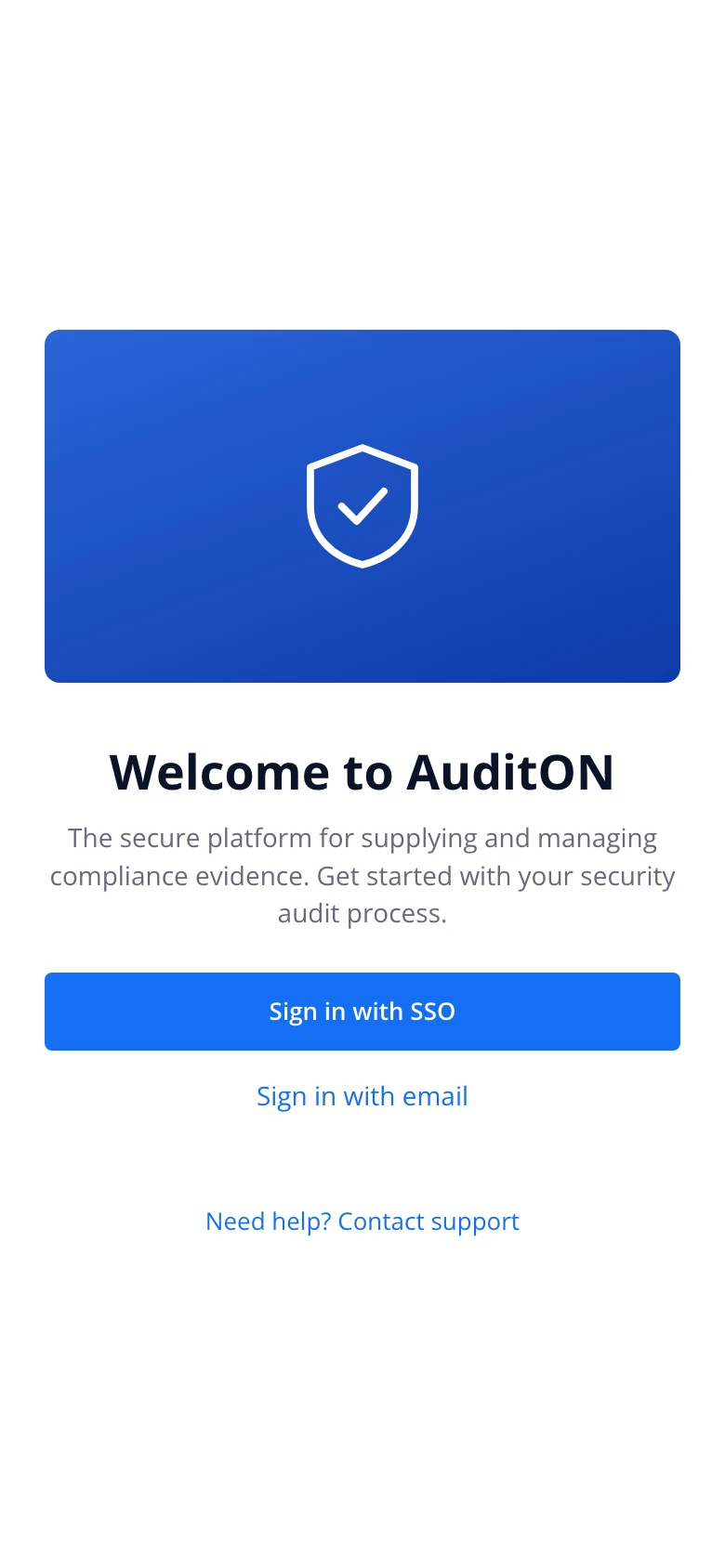
AuditON sign-in screen on a phone
AuditON My Audits list on a phone

Challenges addressed

Clarity

Many users weren’t deeply technical and struggled to understand audit data quickly. I redesigned the interface to present audit insights in a more digestible, visual, and prioritized way.

Improved Collaboration

There were inefficiencies in how audit findings were shared across teams. I helped introduce features or workflows that made comments, assignments, or follow-ups more collaborative and trackable, reducing delays and miscommunication.

Prioritization of Issues for Efficient Follow-Up

Users had trouble distinguishing between critical and minor issues. I implemented a triaging or flagging mechanism so teams could address the most pressing problems first.

Design process

Validating the Problem

To confirm the need for AuditON, I interviewed multiple users to identify workflow bottlenecks and past audit data. The results showed that around 70% of certification delays were due to miscommunication and missing evidence.

  • Design a unified dashboard for managing audit steps.
  • Automate validation to reduce manual back-and-forth.
  • Embed a chat feature for real-time collaboration.
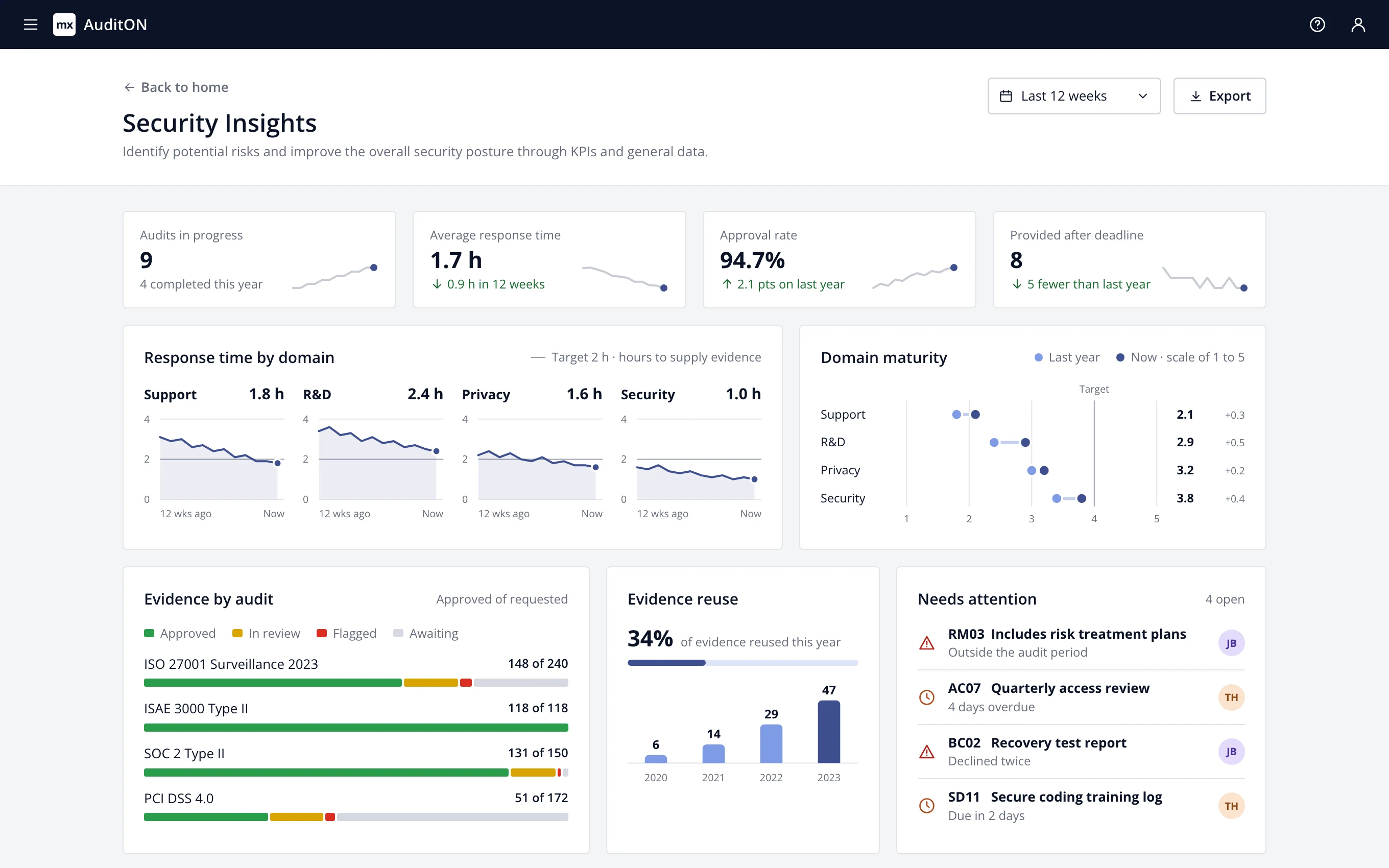
AuditON Security Insights dashboard: four KPI tiles with trend lines, response time per domain over twelve weeks against a two-hour target, domain maturity last year and now, evidence status per audit, evidence reuse per year and a list of items that need attention

Updated flow

  1. Create audit from a template
  2. Notify everyone involved
  3. Upload and validate evidence
  4. Notify the auditor
  5. Receive certificate

Key findings

Most of the research was done through Stakeholder interviews with security officers & compliance managers. These were some key findigns:

  • Users needed a dashboard-first approach for visibility.
  • Templates and automated validation could cut down repetitive manual checks.
  • In-app chat had significant potential for reducing delays in communication.

Results

After launching AuditON, we tracked key performance indicators:

2x Faster

Annual Audit Completion Time

This speed was compared to their prior auditing process.

50% less errors

Error reduction from incorrect evidence submissions

Approximation based on input re-writes as opposed to the prior solution.

50% reach

Half of the security officers started using our product in 2012

After this test phase, more security officers would be onboarded.

Final Design & Implementation

I iterated based on feedback and refined the design to include:

  • A Kanban-style audit workflow for better progress tracking.
  • Automated error detection to flag incorrect evidence submissions.
  • Integrated messaging that tagged relevant stakeholders when an issue arose.
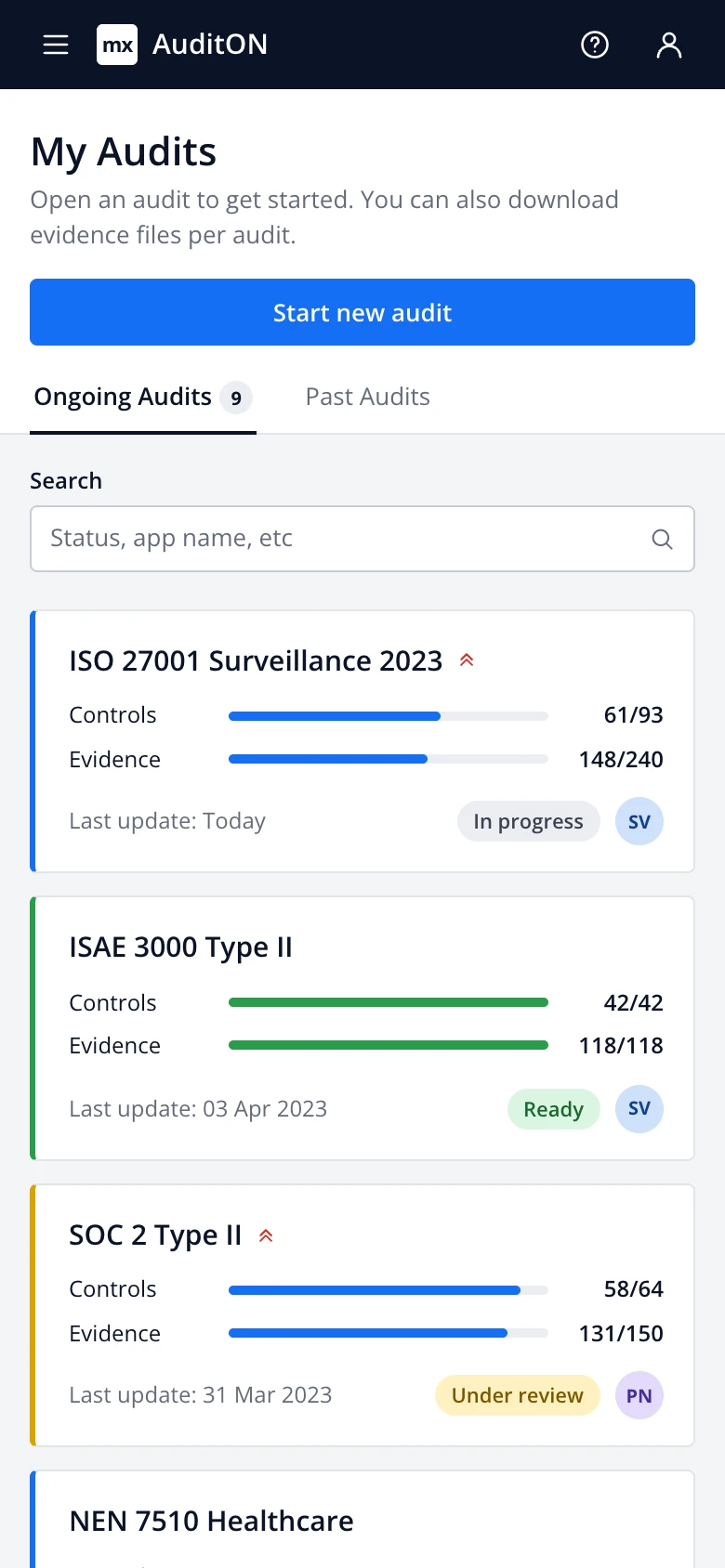
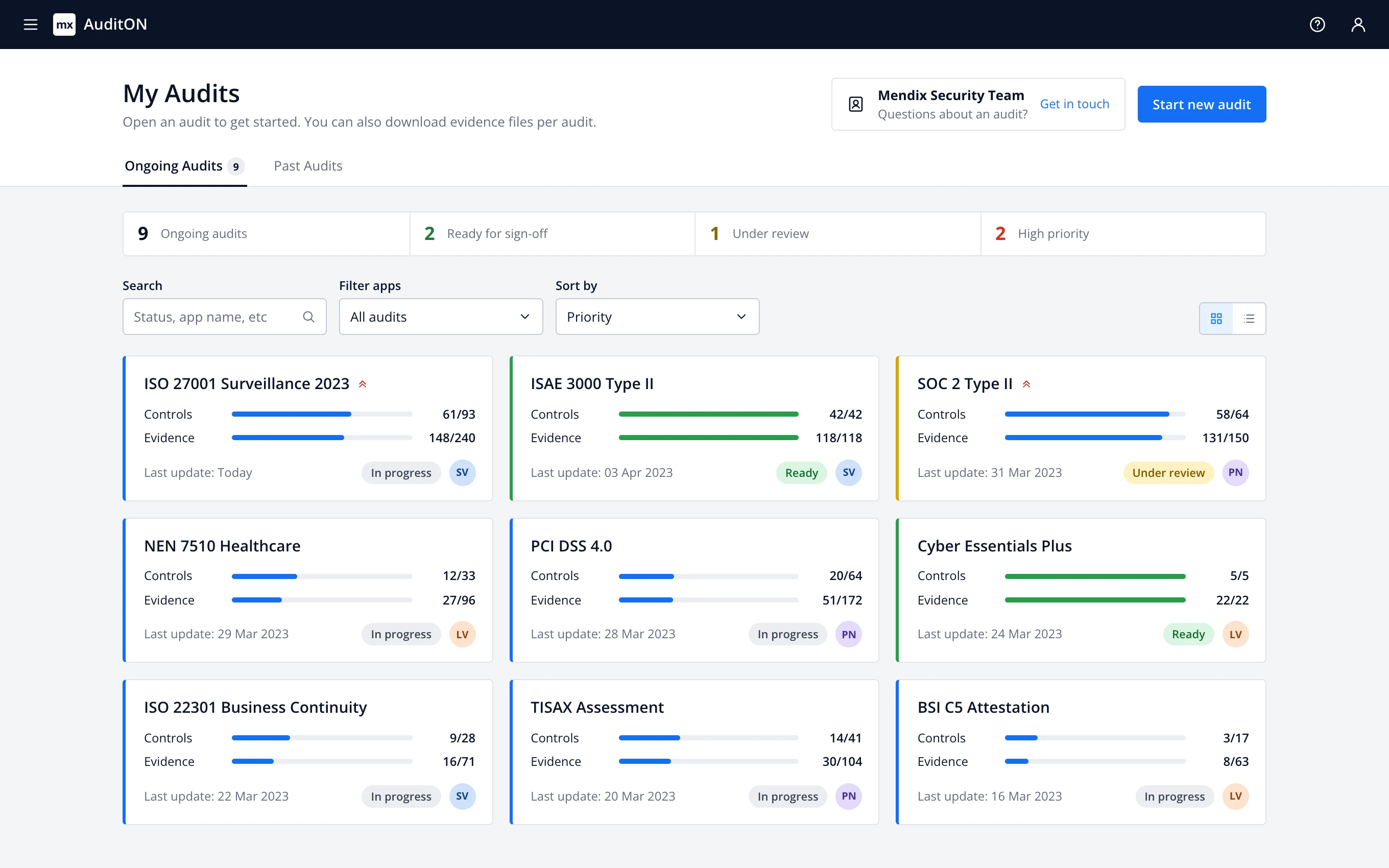
AuditON My Audits screen: a summary row with totals, then nine ongoing audits as cards, each with progress on controls and evidence, a status and an owner
  1. Progress per audit. Controls and evidence are counted separately, so a stalled audit is visible without opening it.
  2. Status. In progress, under review or ready, in the same place on every card and repeated in the colour of the card's edge.
  3. Owner. The responsible security officer is on the card, so there's no question who to ask.
  4. Totals at a glance. How many audits are ongoing, ready for sign-off, under review and high priority, before reading a single card.
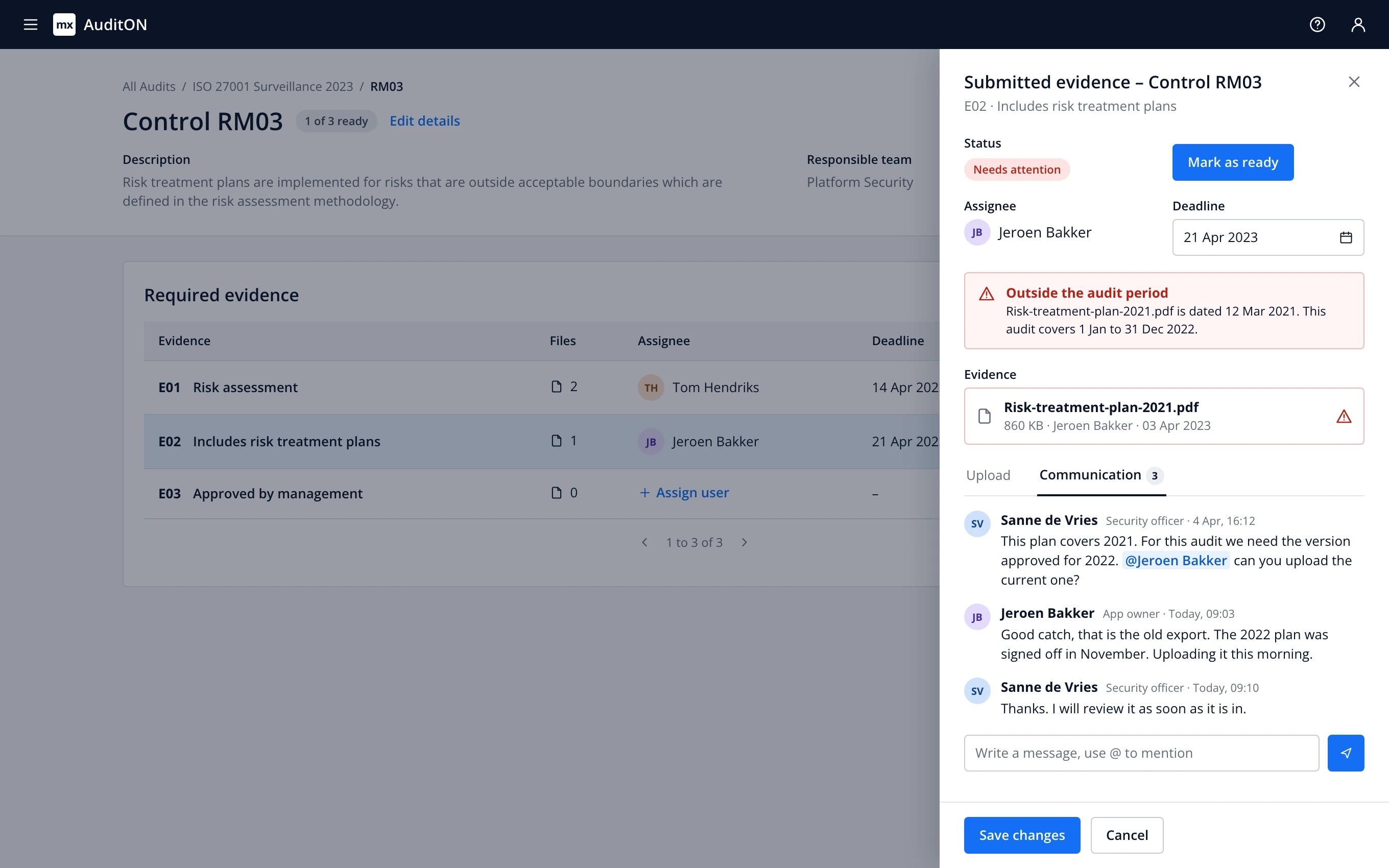
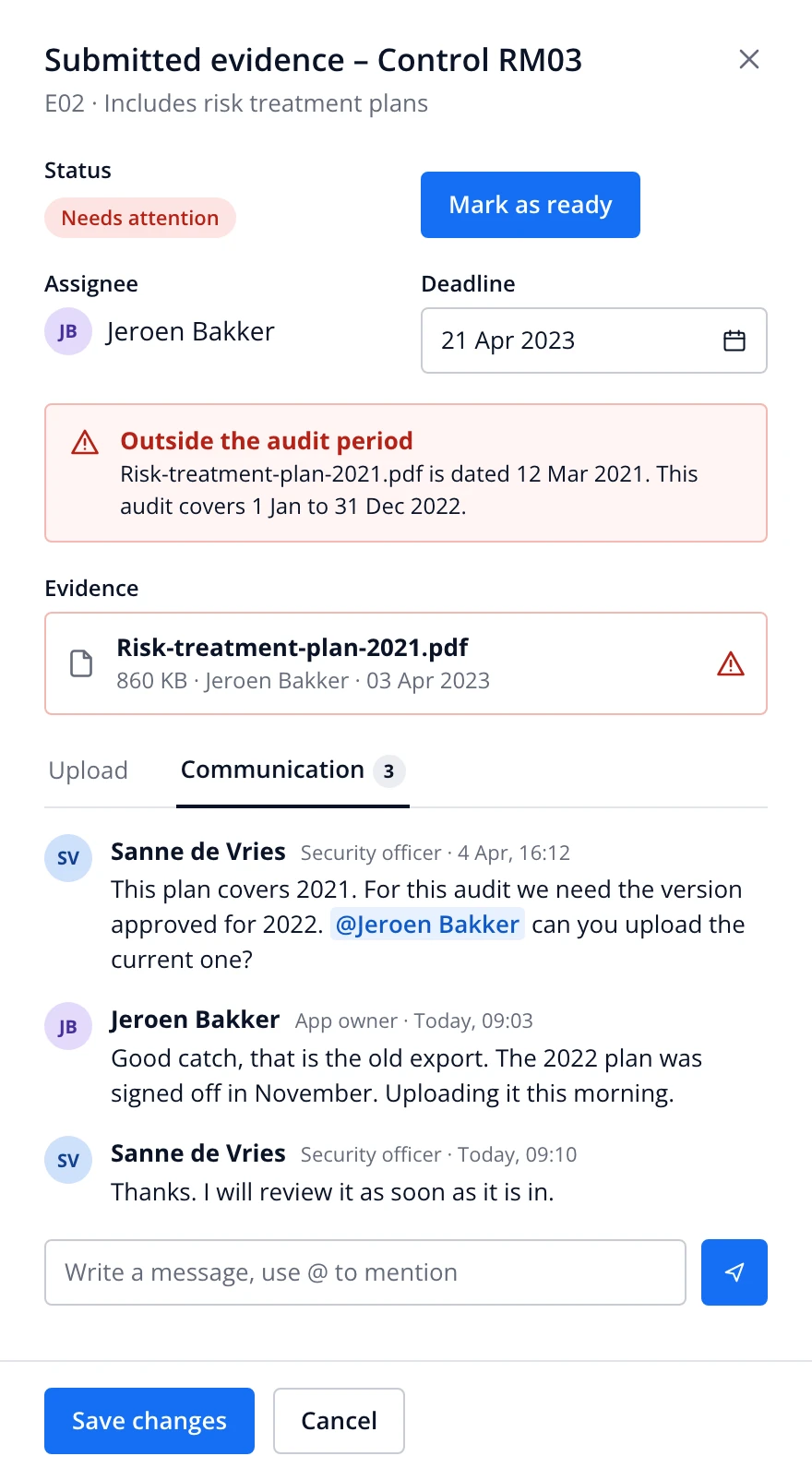
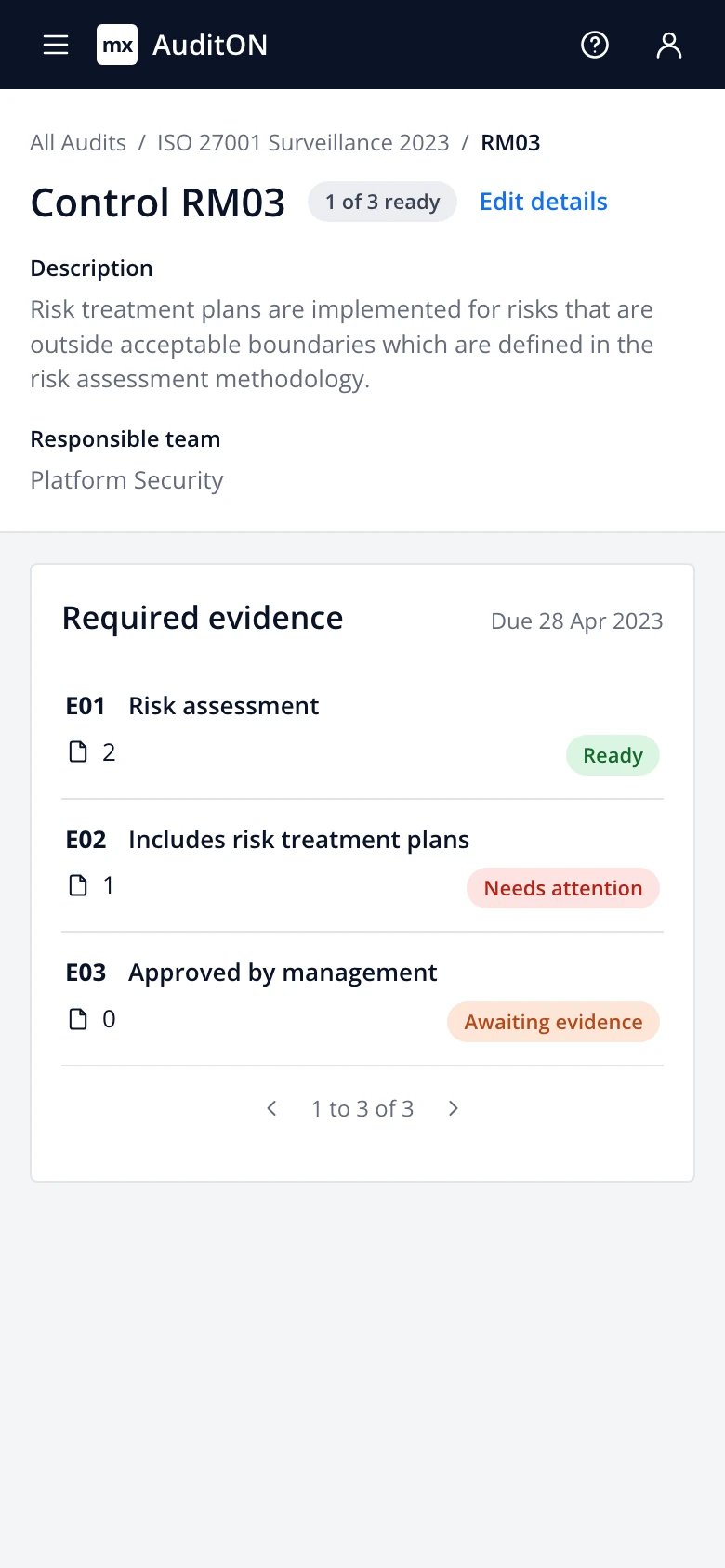
Control RM03 with the evidence panel open: a file flagged as outside the audit period and a message thread about it
Evidence panelEverything about one piece of evidence in one place: status, owner, deadline, the files and the conversation. The outdated file is flagged automatically, and the security officer tags the app owner to replace it.
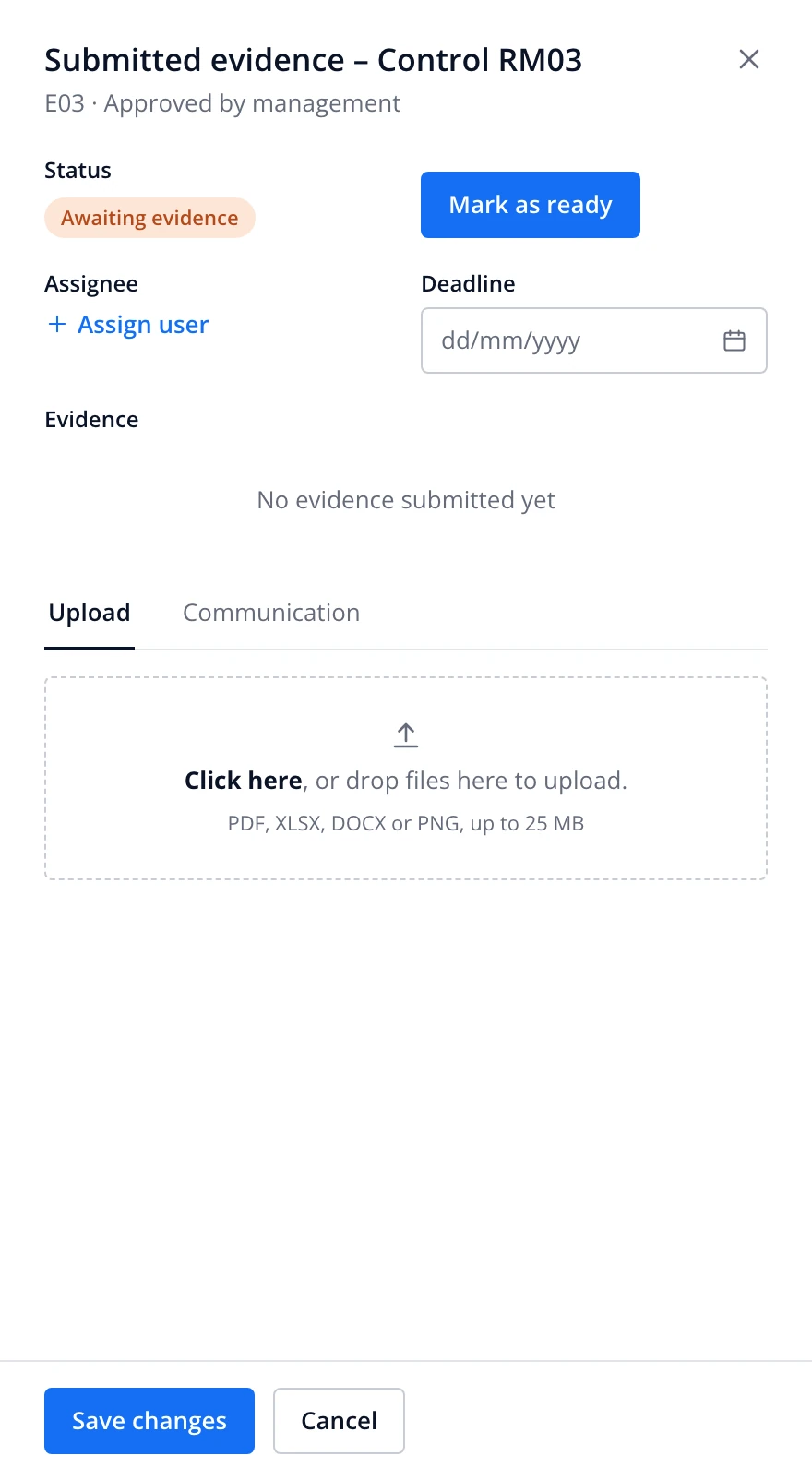
Evidence panel, empty: no assignee, no deadline, no files
1Requested. Nothing uploaded, nobody assigned yet.
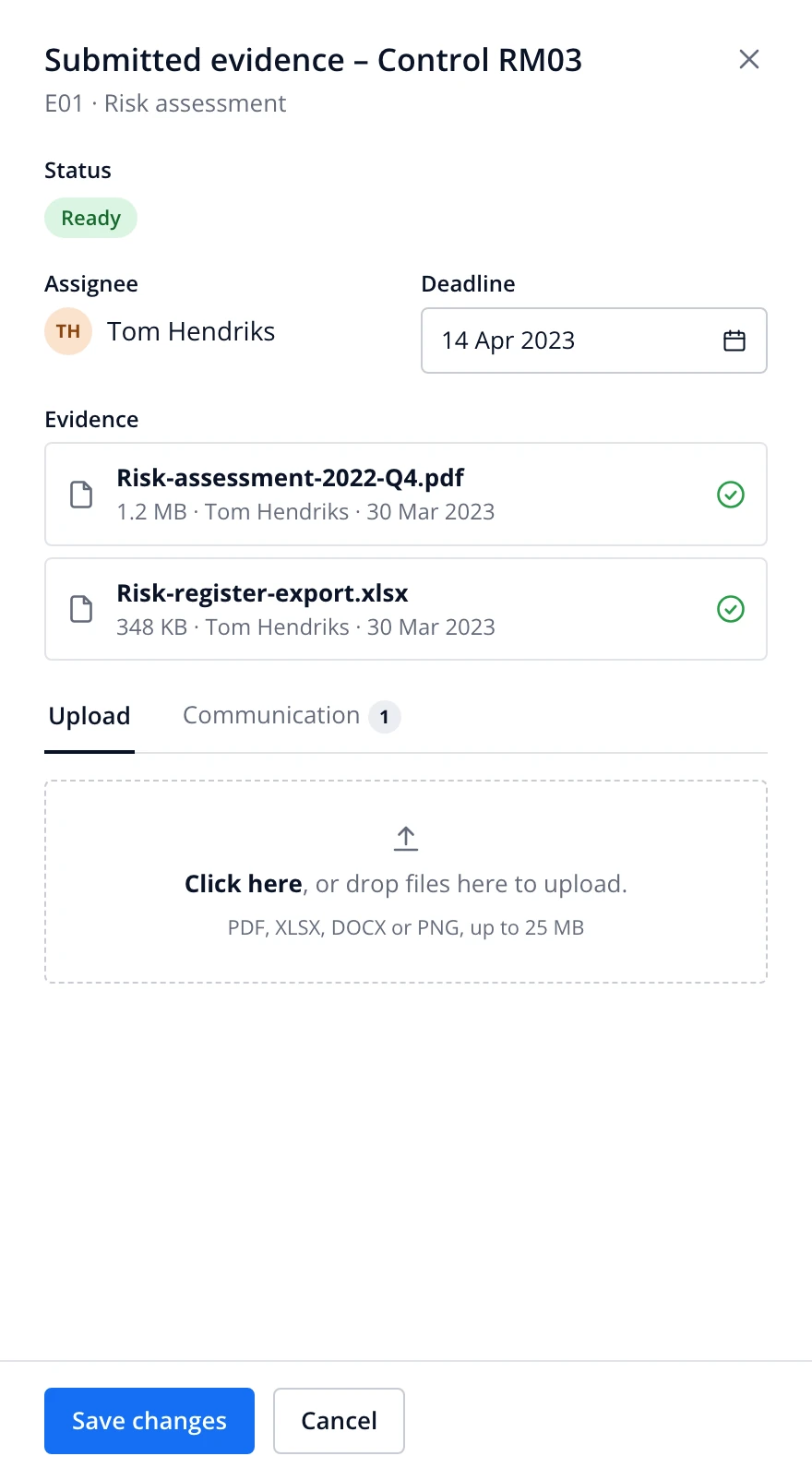
Evidence panel with two validated files, an assignee and a deadline
2Supplied. Files pass validation and the evidence is marked ready.
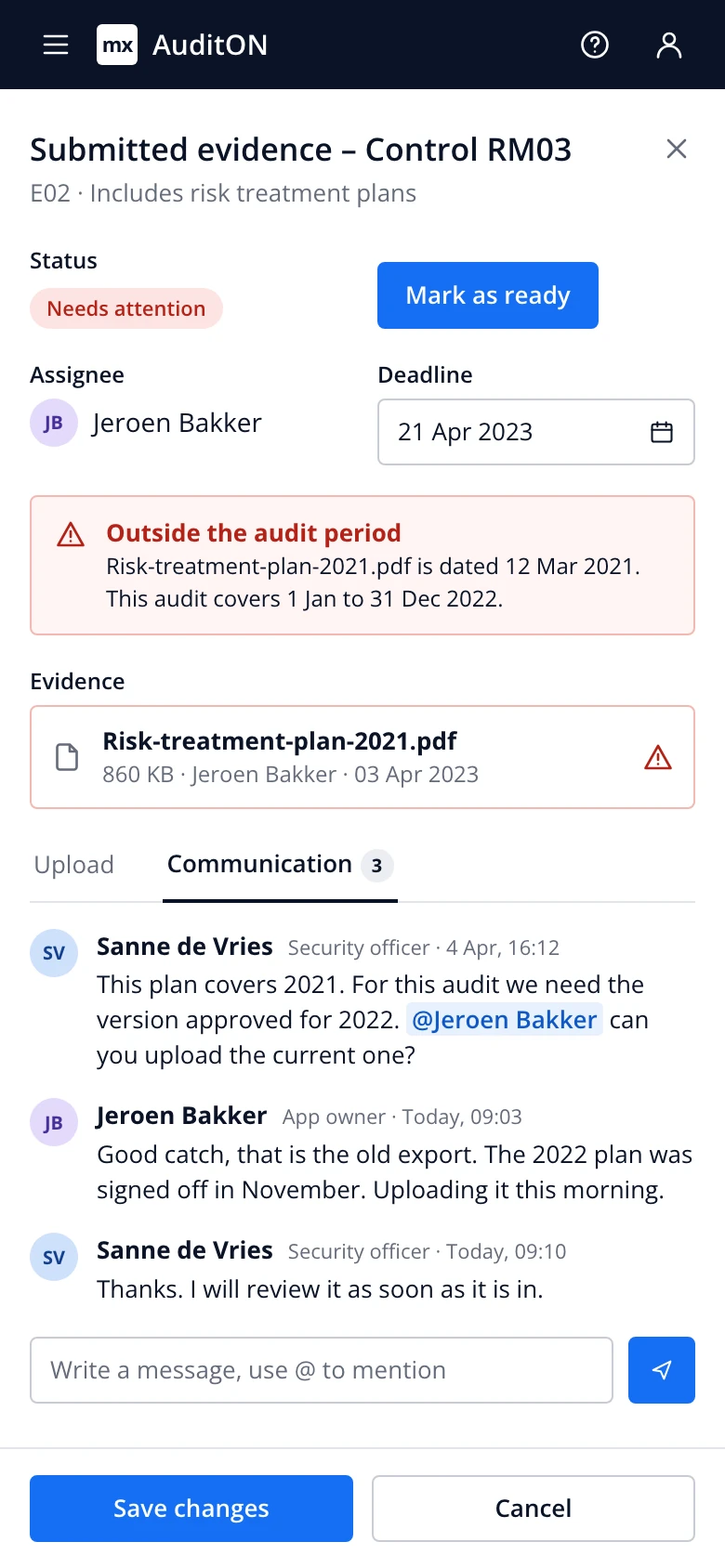
Evidence panel with a flagged file and a three-message thread
3Flagged. A wrong file is caught and sorted out in the thread, not over email.
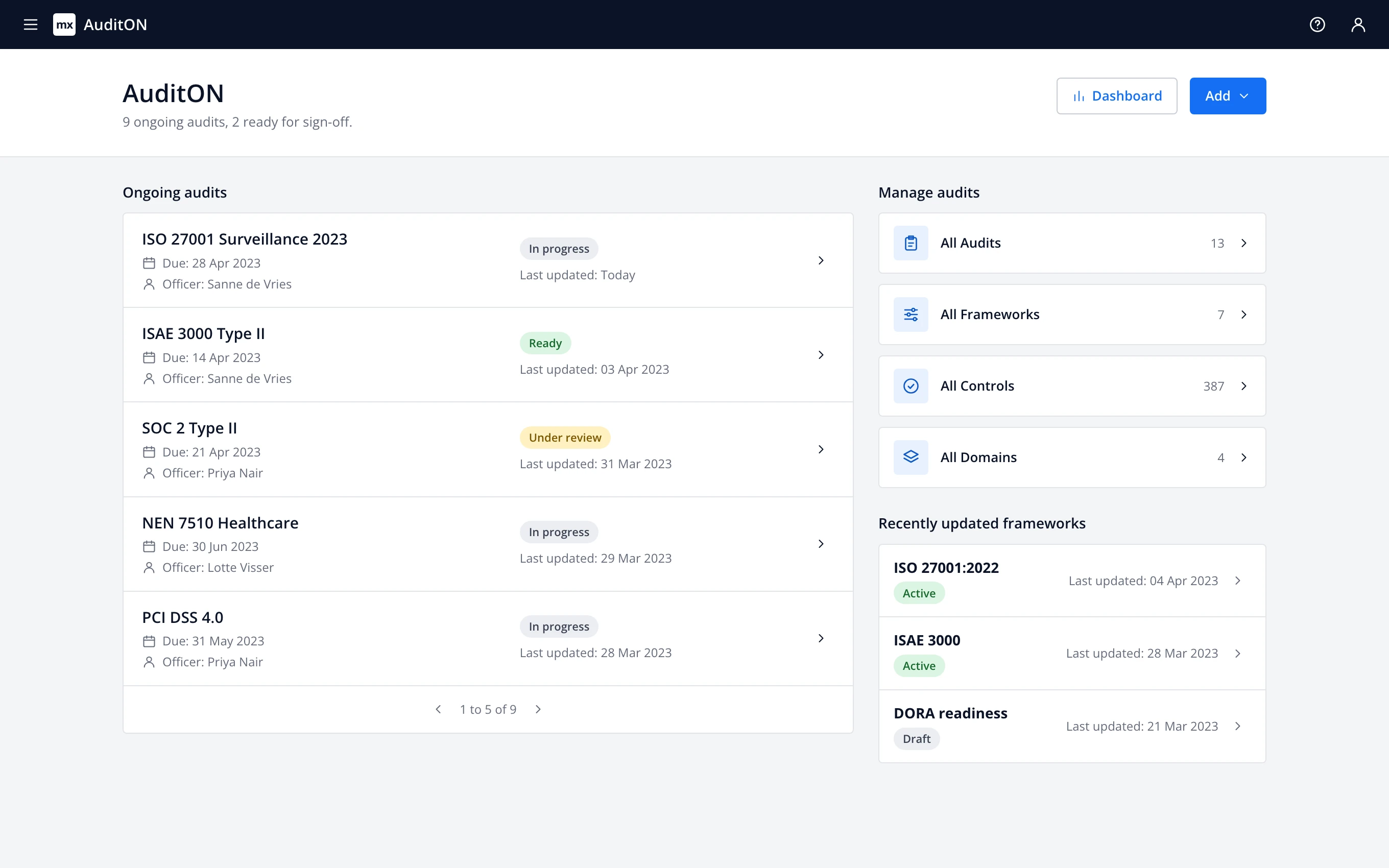
AuditON home for security officers: ongoing audits with due dates and status, plus frameworks and controls
Officer homeSecurity officers see every ongoing audit, its due date and its status without opening a spreadsheet.
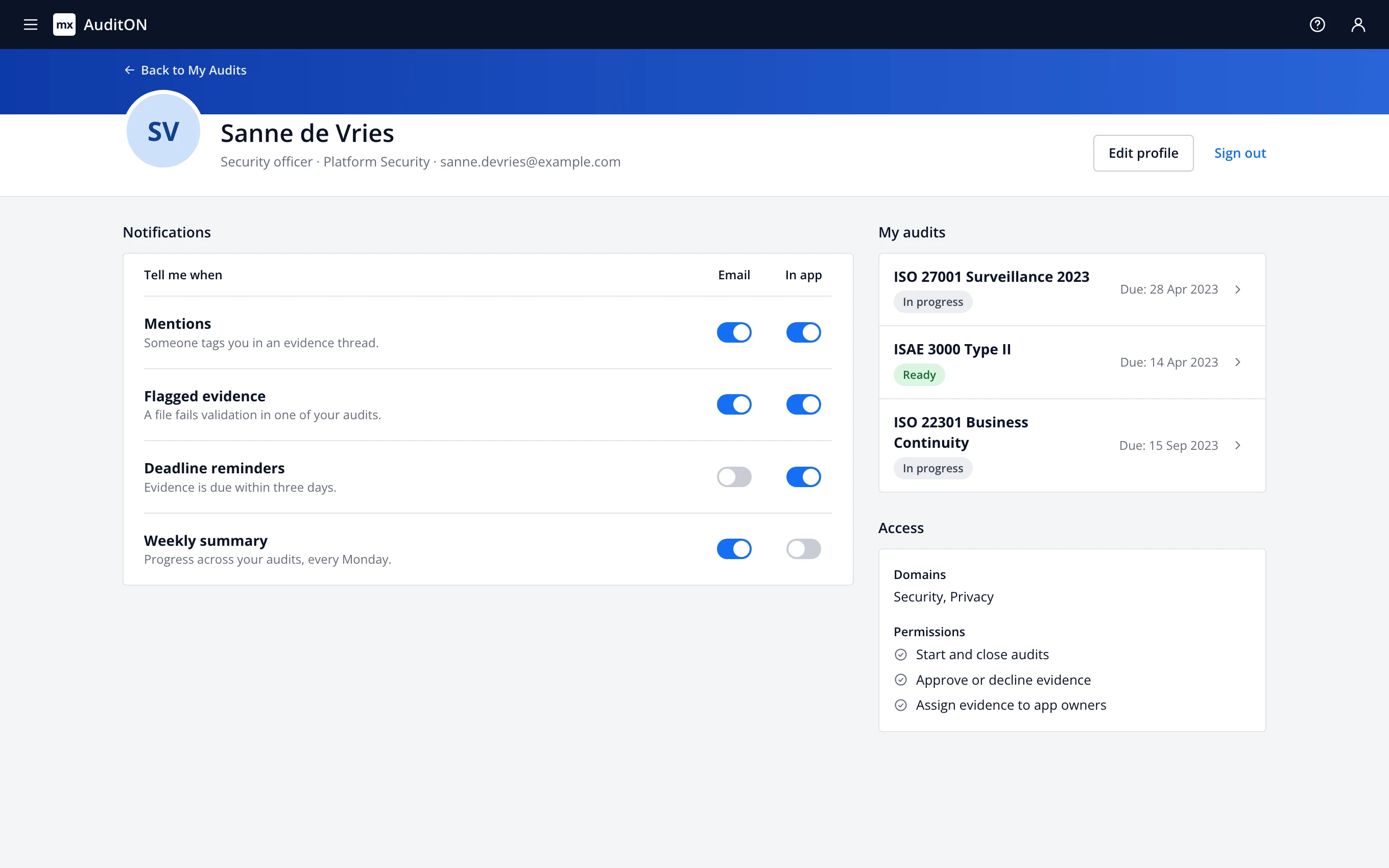
AuditON profile page for a security officer: a header with name, role, team and email, notification settings per event with email and in-app switches, the three audits they own, and their domains and permissions
ProfileEach person picks which audit events reach them by email or in the app, next to the audits they own and what they're allowed to do in them.
My Audits on a phone
Control RM03 on a phone, evidence shown as a list
Evidence panel on a phone, with the flagged file and message thread

The original design files no longer exist, so I rebuilt these screens in HTML and CSS from screenshots of the product. Names and numbers are sample data. The My Audits screen includes two refinements I made for this case study: the summary row above the grid and status-coloured card edges. Security Insights shows more panels and richer sample data than the original dashboard. No screenshot of the profile page survived, so that screen is redrawn with the same components instead of copied. Open the clickable prototype

Testing roadmap

To validate the impact of AuditON, I'd use the HEART framework (focusing on Happiness, Engagement, Adoption, Retention, and Task Success) to measure how effectively it solves communication gaps, manual errors, and audit delays. Key tests would track user satisfaction through surveys. Other things such as task success and error rate could be tracked in-app (Quantitative).

  1. Method
    In-app timestamps from audit start to sign-off, compared with a baseline taken before launch.
    Metric
    Median days per audit
  2. Method
    Short in-app survey for app owners and auditors after each audit.
    Metric
    Satisfaction score and intent to keep using AuditON
  3. Method
    Count audit questions asked in AuditON against threads still running in email and Slack.
    Metric
    Share of audit communication inside the app
  4. Method
    Prototype test: suggest the right evidence file for each requirement, then watch teams use it.
    Metric
    Time to attach evidence and mismatch rate
  5. Method
    NPS survey once a team has completed two full audits in the app.
    Metric
    Net Promoter Score, plus the reasons behind it