Fast to start
Hits a ceiling when ideas need to connect.
DevBoard is a native desktop app for writers, worldbuilders, and solo makers. Notes that link to each other, and a canvas to see how they fit, all without leaving your computer.
Early access — expect rough edges. Send feedback.
DevBoard keeps notes, maps, and references in one local-first workspace, so you can change modes without losing the thread.
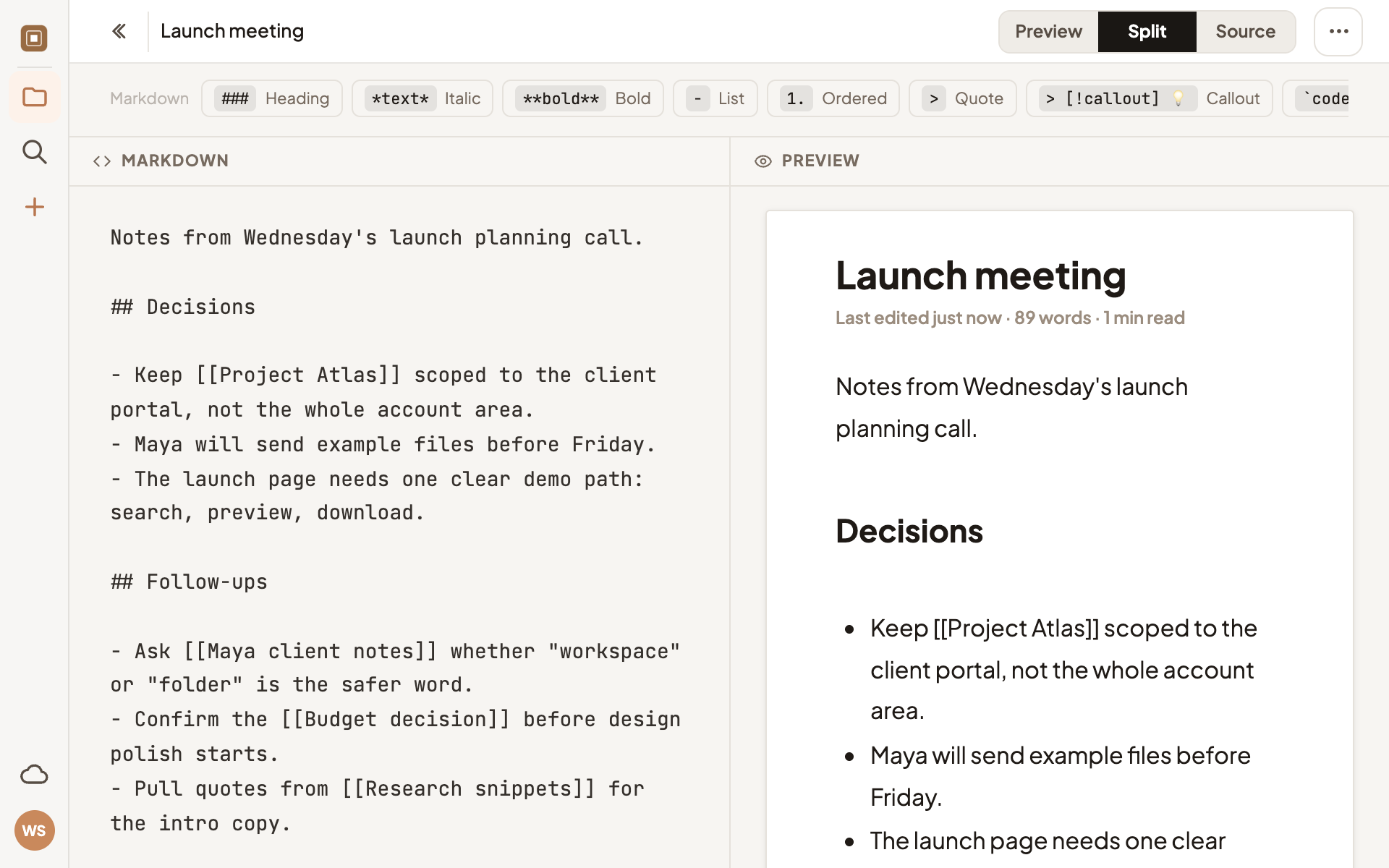
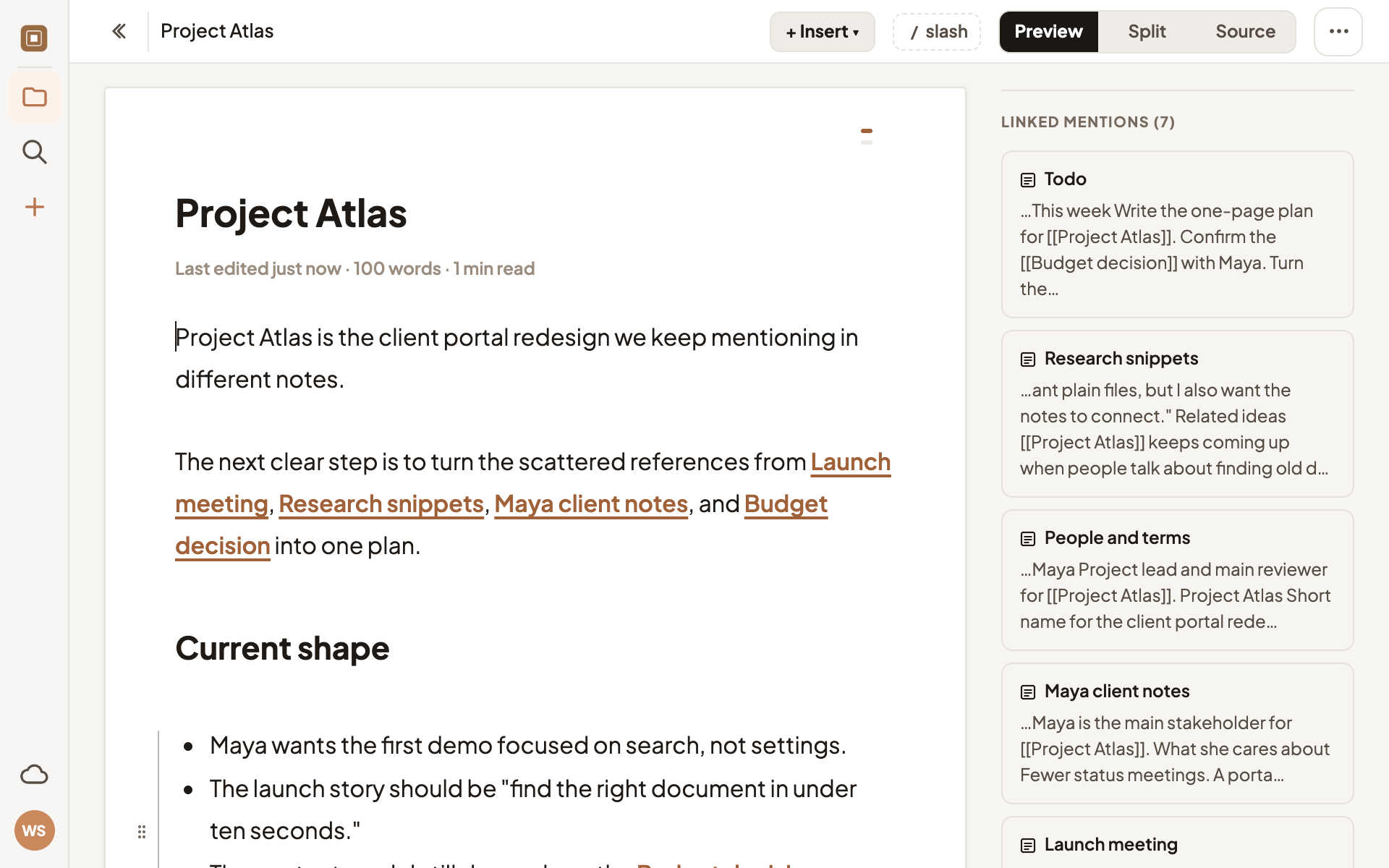
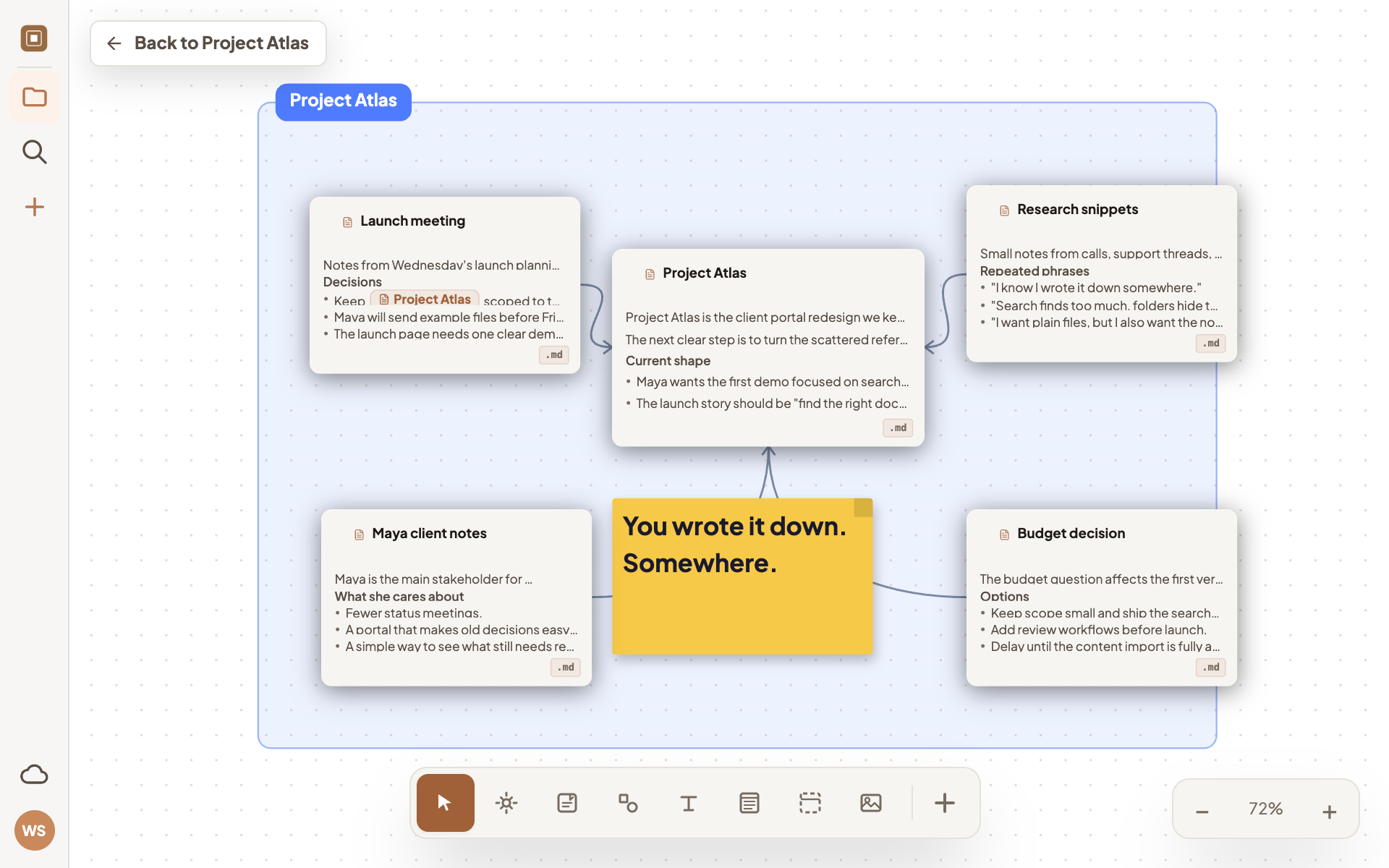
The usual choice is a quick note file or a full workspace. DevBoard sits in the middle.
Hits a ceiling when ideas need to connect.
Often more system than the task needed.
Write quickly. Link ideas when they connect. Open the canvas when a thought needs more room.
DevBoard works without an account. Cloud sync is a convenience layer for backup, multi-device access, and selected workspaces — not a requirement.
For private, offline workspaces stored in a folder you control.
For backup, multi-device access, and reopening selected workspaces anywhere.
Future paid sync pricing is expected around €4–€5/month. Local workspaces will remain free.
Early access is live for macOS, Windows & Linux. Free forever, no account required. A browser version is also available.
Get notified when new features ship. No spam, unsubscribe anytime.